
Why the 10 Meter Satellite Uplink Matters Again
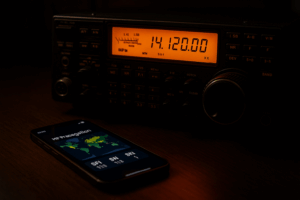
For many satellite operators, LEO work has become almost synonymous with VHF and UHF FM or linear transponders. The renewed appearance of 29 MHz uplink activity in current AMSAT reporting changes that rhythm. A 10 meter satellite uplink brings HF-style antennas, smaller uplink Doppler, and familiar SSB/CW operating habits into low Earth orbit satellite work.
The practical point is not to rush onto the air. The better approach is receive first: identify which satellites are actually active, copy their downlinks, understand the transponder plan, build Doppler memories, and only then make a clean, courteous first transmission. That matters even more with small PocketQube-class spacecraft such as HADES-L, where downlink strength, commissioning status, and operating schedules can change quickly.
AMSAT’s public pages are the best starting point for this workflow. Use the AMSAT 2026 updates for news and context, the AMSAT Live Linear Satellites page to see what linear birds are being reported, the AMSAT satellite status page for recent operator observations, and the AMSAT project status page for development work such as Fox-Plus.
Current Satellites to Monitor: Start With HADES-L, Then Verify the Live List
HADES-L is the satellite to watch if your interest is specifically the return of 29 MHz uplink practice in LEO. It is associated with current PocketQube activity and has drawn attention because it gives operators a reason to think about 10 meters as an uplink band again.
However, satellite operating status is not static. A satellite may be launched, heard, commissioned, intermittently active, placed in a special mode, or temporarily unavailable. Published frequency tables can also be revised after launch or during commissioning. For that reason, do not treat any article, social media post, or saved radio memory as the final authority. Treat it as a planning aid only.
A practical monitoring priority list
- HADES-L: Monitor first if your goal is 10 meter uplink preparation. Confirm the latest transponder information from AMSAT-linked sources and recent operator reports before transmitting.
- Other live linear satellites: Use AMSAT’s live linear satellite page to identify active SSB/CW transponder satellites. Even if they do not use 10 meters, they build the same skills: pass prediction, Doppler correction, tuning discipline, and full-duplex awareness.
- Fox-Plus development: Follow project status updates, but do not plan on transmitting through future spacecraft until they are launched, commissioned, and publicly opened for amateur use.
The smartest training path is to copy several active linear transponders receive-only before focusing on a 29 MHz uplink bird. You will learn how pass geometry, antenna pointing, polarization, and downlink Doppler sound in real time without adding your own uplink signal to the problem.
Confirm Live Status Before Every Session
LEO satellite operation rewards current information. A pass prediction only tells you when the satellite should be above your horizon. It does not prove the transponder is on, healthy, or open for general use. Before each operating session, make a short status check part of your station routine.
Step 1: Check the satellite’s official or AMSAT-linked information
Look for the current mode, frequency plan, and any notes about commissioning or restrictions. If the satellite is still in testing, do not transmit unless the controlling organization has explicitly invited amateur use.
Step 2: Check recent user reports
The AMSAT status page is useful because it reflects what operators are hearing. A series of recent “heard” reports is not a guarantee for your pass, but it is better evidence than an old frequency list. Pay attention to time, mode, and whether reports describe telemetry, beacon copy, or successful transponder operation.
Step 3: Listen before calling
On your first pass of the day, use headphones or a waterfall display and try to copy the beacon, telemetry, or passband. If you cannot hear the downlink, do not transmit. Transmitting into a satellite you cannot hear creates QRM and prevents you from knowing whether your signal is centered, too strong, or even being relayed.
What Changes When the Uplink Is on 10 Meters?
The biggest technical difference is Doppler. Doppler shift is proportional to frequency. A LEO satellite can produce a large enough shift on UHF that you must correct it throughout the pass. On 29 MHz, the shift is much smaller.
As an approximate example, using a relative velocity near 7.5 km/s, Doppler shift is about 700 to 800 Hz at 29 MHz and about 10 kHz or more at 435 MHz. Real passes vary, but the operating lesson is clear: with a 10 meter uplink and UHF downlink, most of your active Doppler correction will usually be on the UHF receive side.
That does not mean the 10 meter uplink can be ignored. On SSB and CW linear transponders, a few hundred hertz is audible. If you want to sound clean in the passband, you still need fine tuning, full-duplex monitoring, and a plan for whether the transponder is inverting or non-inverting.
Build Receive-First Doppler Memories
Before transmitting, build memories for listening. You can do this in a satellite-capable transceiver, a general all-mode rig, or an SDR receiver paired with tracking software. The exact frequencies must come from the current published satellite data, but the structure of the memory set is consistent.
For a UHF downlink
Program several receive memories around the published downlink or passband center. For a 435 MHz-class downlink, a common receive-only starting pattern is:
- AOS early pass: published downlink plus about 10 kHz
- Approaching mid-pass: plus about 5 kHz
- Near TCA: nominal published frequency
- Departing: minus about 5 kHz
- Late pass: minus about 10 kHz
This pattern reflects what you hear from an approaching satellite: the downlink appears higher in frequency, then moves downward as the satellite passes overhead and recedes. Use smaller steps if your radio and software allow it. With SSB and CW, smooth tuning is usually better than large memory jumps.
For the 29 MHz uplink
Because uplink Doppler is much smaller on 10 meters, you can prepare a narrower correction range. Create memories or VFO notes around the published uplink frequency or passband segment, but expect final adjustment by ear while monitoring your own downlink. If the transponder is inverting, remember that tuning one direction on the uplink moves your downlink signal in the opposite direction within the passband.
A receive-first operator should not start by trying to transmit into the center of a busy passband. Instead, learn where the beacon and other stations appear, confirm the passband edges, and practice matching published Doppler predictions to what your receiver actually hears.
Station Setup for Monitoring HADES-L
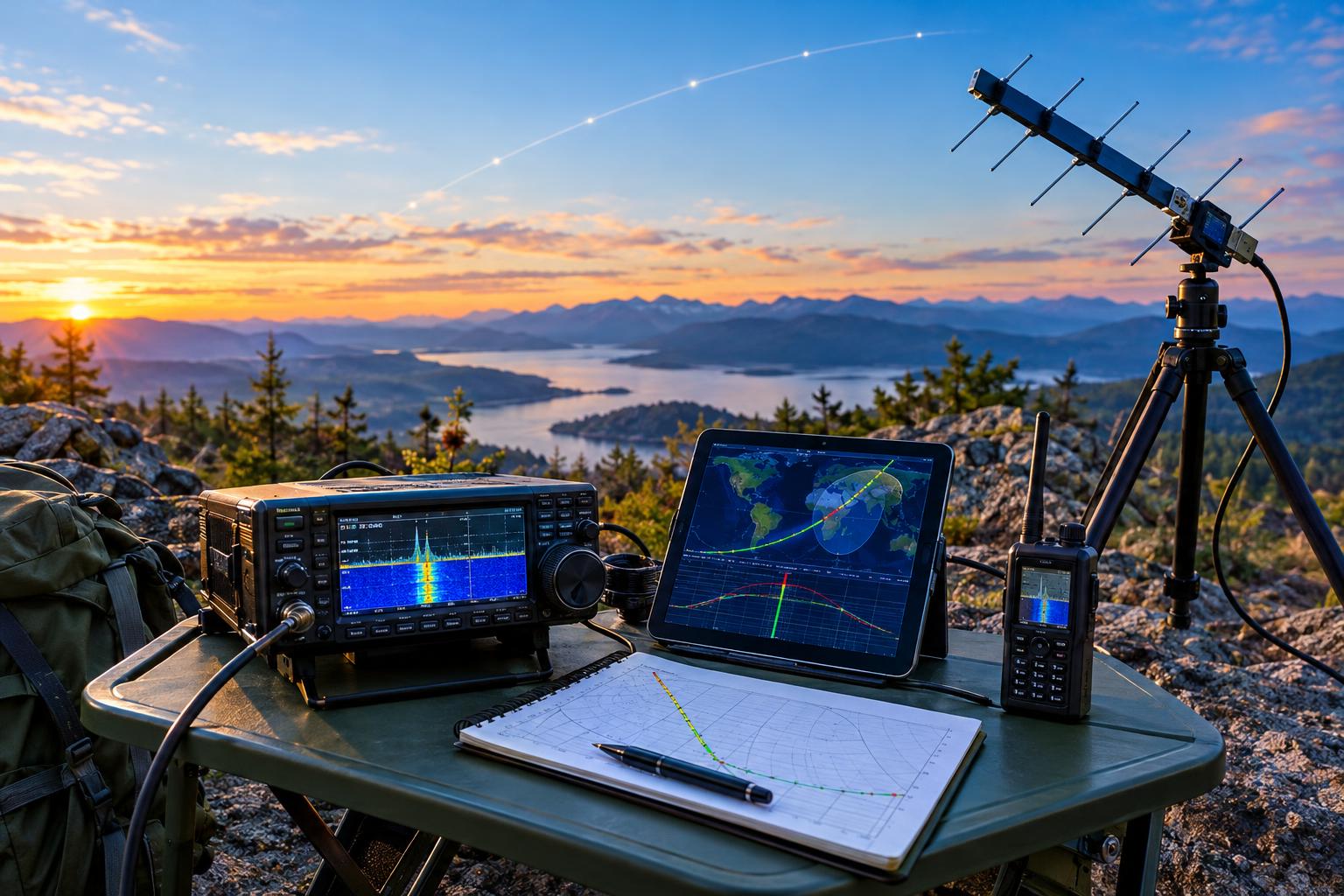
A useful receive-first station does not need to be extravagant, but it does need to be stable and repeatable. The minimum practical setup is an all-mode receiver or SDR for the downlink, a tracking method for pass times, and an antenna that can hear weak UHF satellite signals.
Recommended receive-side pieces
- Pass prediction: Use current TLE data from a trusted source and confirm the satellite name or catalog entry carefully.
- Downlink receiver: Use an all-mode VHF/UHF radio or SDR capable of SSB/CW reception as required by the satellite mode.
- Antenna: A small directional UHF antenna, such as a handheld Yagi or fixed az/el-capable antenna, will usually outperform a general shack antenna for weak LEO downlinks.
- Audio or waterfall: Headphones help, and a waterfall can make Doppler drift, beacon traces, and passband activity much easier to understand.
For the future transmit side, a 10 meter antenna does not need to be exotic. A resonant vertical, dipole, or small beam may work depending on your location, pass geometry, and station limits. But do not assume that HF antenna success on terrestrial contacts automatically translates to satellite success. You still need clean audio, low distortion, correct frequency control, and the ability to hear your own downlink.
Full Duplex Is Not Optional for Good Linear Satellite Practice
Full duplex means you can transmit and hear the satellite downlink at the same time. For linear satellites, it is the difference between operating by evidence and operating by guesswork. Without full duplex, you cannot reliably know whether your signal is inside the passband, whether you are drifting across another QSO, or whether your uplink power is excessive.
For a 10 meter satellite uplink, full duplex can be arranged with separate radios, a transceiver plus SDR, or a satellite-capable radio that supports simultaneous receive and transmit on the needed bands. Test your station locally into dummy loads where appropriate, manage RF feedback, and keep computer audio paths simple. The first on-air satellite pass is not the time to discover that your receiver overloads when the 10 meter transmitter keys.
Operating Etiquette: Low Power, Clean Signal, Short Calls
Linear transponders are shared passbands, not private repeaters. Use the minimum power that produces a readable downlink. With small satellites, excessive uplink power can desensitize the receiver, capture attention unfairly, or make the passband unpleasant for everyone.
Start with receive-only passes. When you eventually transmit, make short calls, leave room between QSOs, and avoid calling over weak stations. If you hear yourself louder than everyone else, reduce power. If you cannot hear yourself at all, stop transmitting and solve the receive problem first.
Safety and Regulatory Caveats
In the United States, amateur privileges depend on license class, frequency, emission type, and applicable FCC rules. Other countries have different allocations and license conditions. Before using any 29 MHz satellite uplink, confirm that your license permits that frequency and mode, and that the satellite is open for amateur use.
Also treat 10 meter RF safety seriously. Evaluate RF exposure for your antenna, power level, duty cycle, and operating distance. Keep people away from energized antennas, use proper grounding and lightning precautions for outdoor antennas, and avoid temporary antenna setups that place wire or feed line near power lines.
Key Takeaways
- A 10 meter satellite uplink reduces uplink Doppler compared with VHF/UHF, but it does not remove the need for careful tuning.
- HADES-L is the current satellite to monitor for renewed 29 MHz uplink practice, but status must be verified before each session.
- Use AMSAT live and status pages to separate active satellites from planned or intermittent ones.
- Prepare Doppler memories receive-first, especially for UHF downlinks where the shift is much larger.
- Do not transmit unless you can hear the satellite and monitor your own downlink.
FAQ
Can I use a normal 10 meter HF antenna for a satellite uplink?
Possibly, if it is resonant, safe, and suited to the pass geometry. A dipole, vertical, or beam may be usable, but the station still needs correct frequency control, clean audio, and full-duplex downlink monitoring.
Why should I monitor other linear satellites if I only care about HADES-L?
Other active linear satellites let you practice the same essential skills: finding passes, correcting Doppler, recognizing passband activity, and operating courteously. Those skills transfer directly to a 10 meter uplink satellite.
Do Fox-Plus satellites mean more 10 meter uplinks are guaranteed?
No. Fox-Plus project information points to more linear-transponder development and future practice opportunities, but operators should wait for launch, commissioning, and official operating details before drawing conclusions about specific frequencies or access.
What is the safest first goal?
Copy the downlink on several passes without transmitting. Log the pass time, maximum elevation, antenna used, Doppler settings, and what you heard. Once you can hear the satellite reliably, transmitting becomes a controlled technical step instead of a guess.