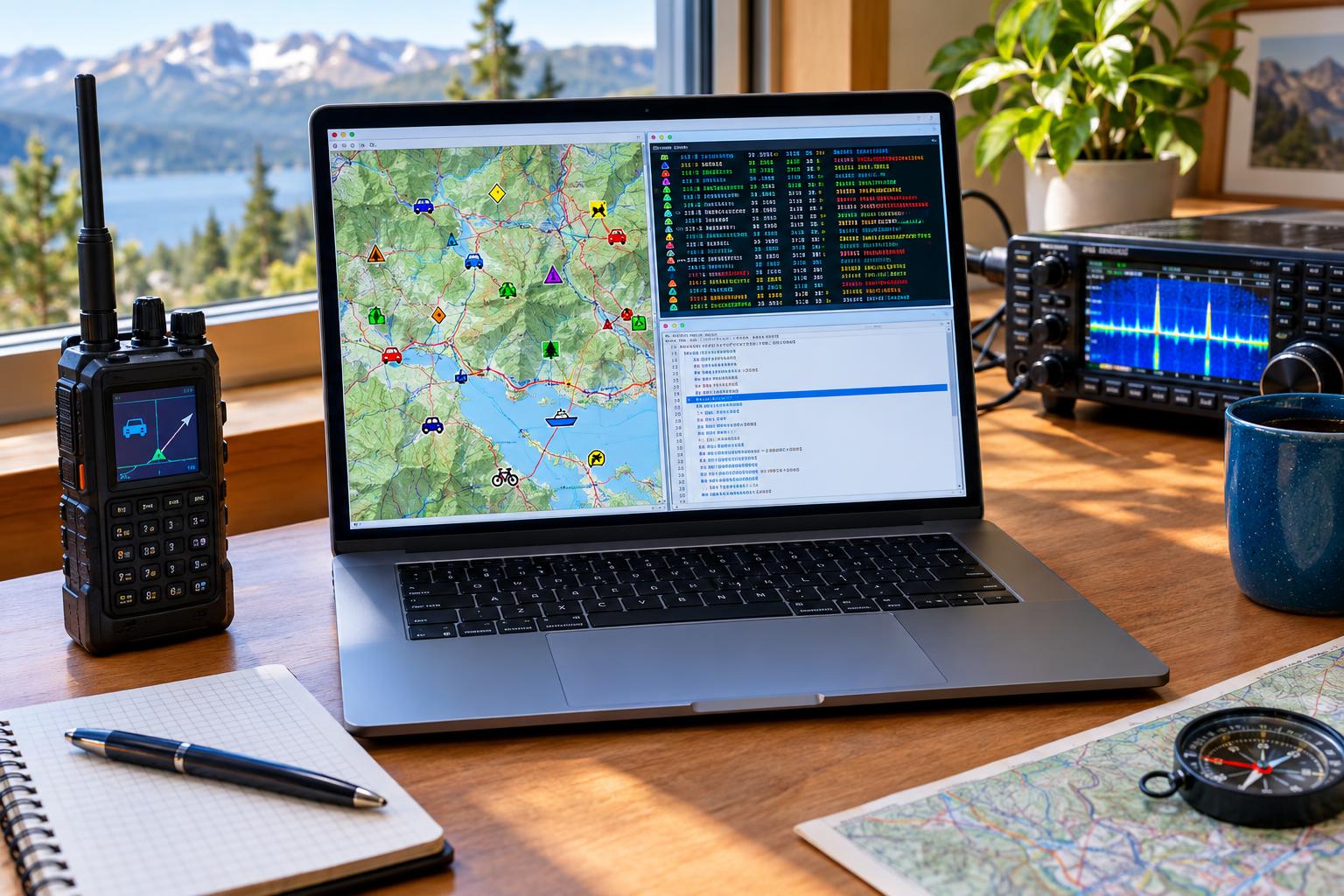

When APRS looks wrong on a map, the problem is not always GPS, RF coverage, or an iGate. Sometimes the packet itself is advertising the wrong identity. A tracker may appear as the wrong software, a handheld may show up with a generic or obsolete device type, or a tactical object may use a misleading map symbol. Before a public-service event, that matters. Net control, shadow operators, aid-station teams, and technical volunteers may be using APRS displays to understand who is moving, what is fixed, and what kind of station is reporting.
The practical fix is to review three related but different pieces of APRS configuration: the APRS device ID, the TOCALL in the AX.25 destination field, and the APRS symbol carried inside the position report. The APRS Foundation’s current planning and the maintained aprs-deviceid database make one lesson clear: old copied TOCALL lists are now a maintenance risk, not a reliable reference.
What an APRS Device ID Is—and What It Is Not
In normal packet-radio form, an APRS frame is seen as something like CALLSIGN>DESTINATION,PATH:information. The destination field is often called the TOCALL. In APRS practice, that field is commonly used to identify the client, firmware, software, tracker family, or application that generated the packet. That is the basis for what many operators call the APRS device ID.
That ID is useful, but it is not authentication. A TOCALL does not prove that a station is using a particular radio, firmware build, or hardware revision. It is simply a short AX.25 destination callsign field, commonly six characters before any optional SSID handling. If a program allows the operator to type anything into the destination field, an inaccurate ID can be transmitted accidentally or intentionally.
The Understanding APRS Packets guide is a good refresher on how packet fields are structured. The APRS specification and addenda, including APRS 1.2 documentation, explain how the destination, path, and information fields work together. The key point for troubleshooting is simple: the device ID is usually in the destination field, while the displayed map symbol is usually in the APRS information field.
Why Static TOCALL Lists Are a Problem in 2026
For years, operators copied TOCALL tables into club wikis, event binders, software notes, and personal cheat sheets. That was understandable when devices changed slowly. Today, APRS clients, embedded trackers, open-source firmware, gateways, and network services evolve more quickly. A static list can be incomplete, duplicated, or simply stale.
The APRS Foundation strategic plan points toward more deliberate stewardship of APRS resources and documentation. In that environment, the maintained aprs-deviceid database is a better reference than an old PDF, a decade-old web page, or a menu screenshot from a discontinued client. If your event team depends on APRS for situational awareness, treating device IDs as living data is a practical operating habit.
That does not mean every station must constantly chase cosmetic changes. It does mean that before a significant exercise, marathon, bike ride, parade, weather deployment, or ARES/RACES support assignment, you should confirm that your transmitted identity still matches what you are actually using.
Separate the Three Common Problems
Many APRS display issues get described as “the wrong icon,” but there are three separate settings involved.
1. Wrong TOCALL or device ID
This is when the packet destination field makes your station appear to be generated by the wrong client or tracker. For example, a homebrew TNC, sound-card gateway, or phone app may be configured with a generic or borrowed destination value. Some displays or log parsers may then label your station incorrectly.
2. Wrong APRS symbol
This is when the map icon does not match your role. A mobile tracker may appear as a house, a fixed checkpoint may appear as a moving vehicle, or a weather station may use a generic symbol. APRS symbols are encoded inside the position report, not by the TOCALL alone.
3. Wrong station role or comment
The free-text comment may imply capabilities you do not have. For public-service work, avoid stale comments such as “WX,” “SAR,” “digipeater,” “iGate,” or “net control” unless that is true for the event and station configuration.
A Practical Pre-Event APRS Packet Audit
Do this audit before the event day, not while volunteers are checking in on the air.
Step 1: Capture your own raw packet
Use a local APRS monitor, TNC terminal, Dire Wolf console, radio display, or trusted APRS-IS viewer that shows raw packets. You are looking for the actual transmitted text, not just the pretty map display. A typical raw line will show your source callsign, destination field, path, and information field.
Example structure:
N0ABC-9>APXXXX,WIDE1-1,WIDE2-1:position-and-comment-data
In that simplified example, N0ABC-9 is the source station and APXXXX is the destination/TOCALL. The path and information field follow. Your real packet may use a different path, compressed position format, Mic-E format, object format, or third-party encapsulation depending on equipment and network path.
Step 2: Compare the destination field with the maintained database
Check the TOCALL against the current aprs-deviceid repository. If your software or firmware has a documented assignment, use that. If you operate experimental or homebrew software, follow the repository’s current guidance rather than copying an identifier from another program.
Do not assume that a code beginning with “AP” is automatically correct for your station. Many APRS identifiers share a family resemblance, and guessing can create confusing records. Also remember that some older radios or trackers may not allow the TOCALL to be edited. In that case, your best fix may be a firmware update, a configuration profile change, or simply documenting the limitation for the event communications team.
Step 3: Verify the map symbol separately
Open the symbol setting in your tracker, radio, or client and confirm that it matches your intended role. A personal mobile operator, course marshal, aid station, portable digipeater, weather station, or net-control object should not all use the same symbol by habit. The correct choice is the one that helps other operators interpret the map without guessing.
Be conservative. If you are not operating a weather station, do not use a weather symbol. If you are not providing digipeater service, do not use a digipeater-like identity or comment. For events, consistency across the team is often more valuable than each operator choosing a personal favorite icon.
Step 4: Check call sign and SSID use
APRS operators often use SSIDs to distinguish station roles, such as a mobile tracker, handheld, home station, or portable setup. Local practice varies, and the APRS spec does not make every possible SSID meaning mandatory. For an event, publish a simple plan: which call sign or tactical object represents each resource, which SSIDs are expected, and which objects are controlled by net control.
Step 5: Send a low-impact test packet
After changing settings, transmit a normal beacon or test during an appropriate time. Confirm what appears on a local receiver or APRS-IS display. Do not repeatedly beacon every few seconds just to force a map refresh. On shared VHF channels, unnecessary retries add congestion and may hide weaker stations.
Configuration Notes by Station Type
Self-contained APRS radios
Many APRS-capable handhelds and mobiles have separate menus for call sign, SSID, symbol, beacon text, path, and packet destination. If the destination field is fixed by the manufacturer, focus on the settings you can control: symbol, comment, beacon rate, path, and correct call sign. Check for current firmware only through legitimate manufacturer or project sources.
Software clients and sound-card TNCs
Computer-based APRS systems often expose the destination field directly. That flexibility is useful but risky. A copied configuration file can preserve an old TOCALL long after you changed programs. Review the transmit profile, not only the receive display. If the software includes a default destination value, compare it to the current device ID database before overriding it.
Homebrew trackers and microcontroller projects
Homebrew stations need extra care because examples on the internet often contain placeholder TOCALLs. If your code transmits APRS frames, do not clone another project’s device identity unless the maintained guidance says that is appropriate. Label development builds honestly, and avoid transmitting long debug comments on a busy shared channel.
Objects and tactical stations
Public-service events often use APRS objects for aid stations, hazards, rest stops, start/finish points, or net control. An object’s name and symbol may be more important to the map user than the device ID of the station injecting it. Still, the originating station’s TOCALL should be accurate so troubleshooters can identify the software creating or updating the object.
Public-Service Event Checklist
- Raw packet captured: Confirm source call sign, SSID, destination/TOCALL, path, and information field.
- Device ID checked: Compare against the maintained aprs-deviceid database, not an old static list.
- Symbol verified: Match the icon to the station’s actual event role.
- Comment cleaned up: Remove stale claims such as weather, digipeater, iGate, emergency, or net-control roles unless accurate.
- Beacon rate reviewed: Use a rate appropriate for motion, channel loading, and event guidance.
- Path reviewed: Follow current local practice and event instructions; avoid excessive paths.
- Firmware/profile saved: Store a known-good event profile if your equipment supports profiles.
- Final verification done: Confirm the corrected packet on a local receiver or raw-packet display.
Safety and Regulatory Caveats
APRS is still amateur radio. In the United States, operators must follow FCC Part 97 rules, identify properly, use authorized frequencies and emission types, and avoid business communications or encrypted content where prohibited. Other countries have different licensing and band-plan requirements. Always follow the rules for your jurisdiction and the event’s communications plan.
For portable event stations, also consider RF exposure, battery safety, weather protection, and antenna placement. A tracker on a high-power mobile radio, a temporary mast, or a battery box at an aid station deserves the same practical safety review as any other amateur station. Good APRS data is valuable, but not at the expense of unsafe wiring, trip hazards, or poor operating discipline.
FAQ
Does changing the APRS device ID change my map symbol?
Usually no. The device ID is normally associated with the destination/TOCALL field. The map symbol is encoded in the APRS information field. Some software may choose defaults based on a profile, but technically these are separate concepts.
Should I use a generic TOCALL if I am not sure?
Use the correct documented setting for your software or device when available. If you are developing or experimenting, consult the current aprs-deviceid guidance rather than borrowing a code that belongs to another client.
Why does one website show my station differently than another?
Different APRS displays may update their device databases, symbol handling, and parsing logic at different times. That is another reason to transmit accurate packets instead of relying on a particular map site to interpret a vague configuration correctly.
Do I need to update every old tracker before an event?
You need to know what each tracker is transmitting. If a legacy unit has a fixed destination field but the symbol, call sign, and comment are correct, document the limitation. If settings are editable, update them before the event and verify the raw packet.
Key Takeaways
- An APRS device ID is commonly inferred from the packet destination/TOCALL, not from the map symbol.
- The APRS symbol is a separate field inside the position or object information.
- Old static TOCALL lists can be stale; use the maintained aprs-deviceid database for current reference.
- For public-service events, accurate symbols and comments are just as important as accurate device IDs.
- Always verify by looking at your raw transmitted packet, not only the map display.
A clean APRS packet helps everyone: the operator, the event communications team, software maintainers, and stations trying to interpret the map under time pressure. Before the next event, spend a few minutes checking your TOCALL, symbol, and transmitted comment. It is one of the simplest ways to make APRS more useful and less confusing on a busy channel.